Your home, with memory.
Nives is an AI assistant that remembers your preferences, devices, and routines — so every conversation picks up where the last one left off.
An assistant that actually knows your home
Most smart home assistants treat every conversation as brand new. Nives doesn't.
Persistent memory
Tell it once that you prefer warm lighting in the evenings. It remembers. Preferences, baselines, and context persist across every conversation.
Voice and text via HA Assist
Works with any Home Assistant Assist pipeline. Speak naturally or type — control devices, ask questions, or have a real conversation about your home.
Runs locally on your HA
The add-on installs directly in Home Assistant. Memory, conversation history, and HA tools run on your device — only AI inference goes to the cloud.
No account juggling
Buy a ticket here, paste the key we give you into the add-on, done. No OpenAI, Anthropic, or Google accounts required.
See it in action
Not mockups — real conversations with a live install, straight from Home Assistant Assist.
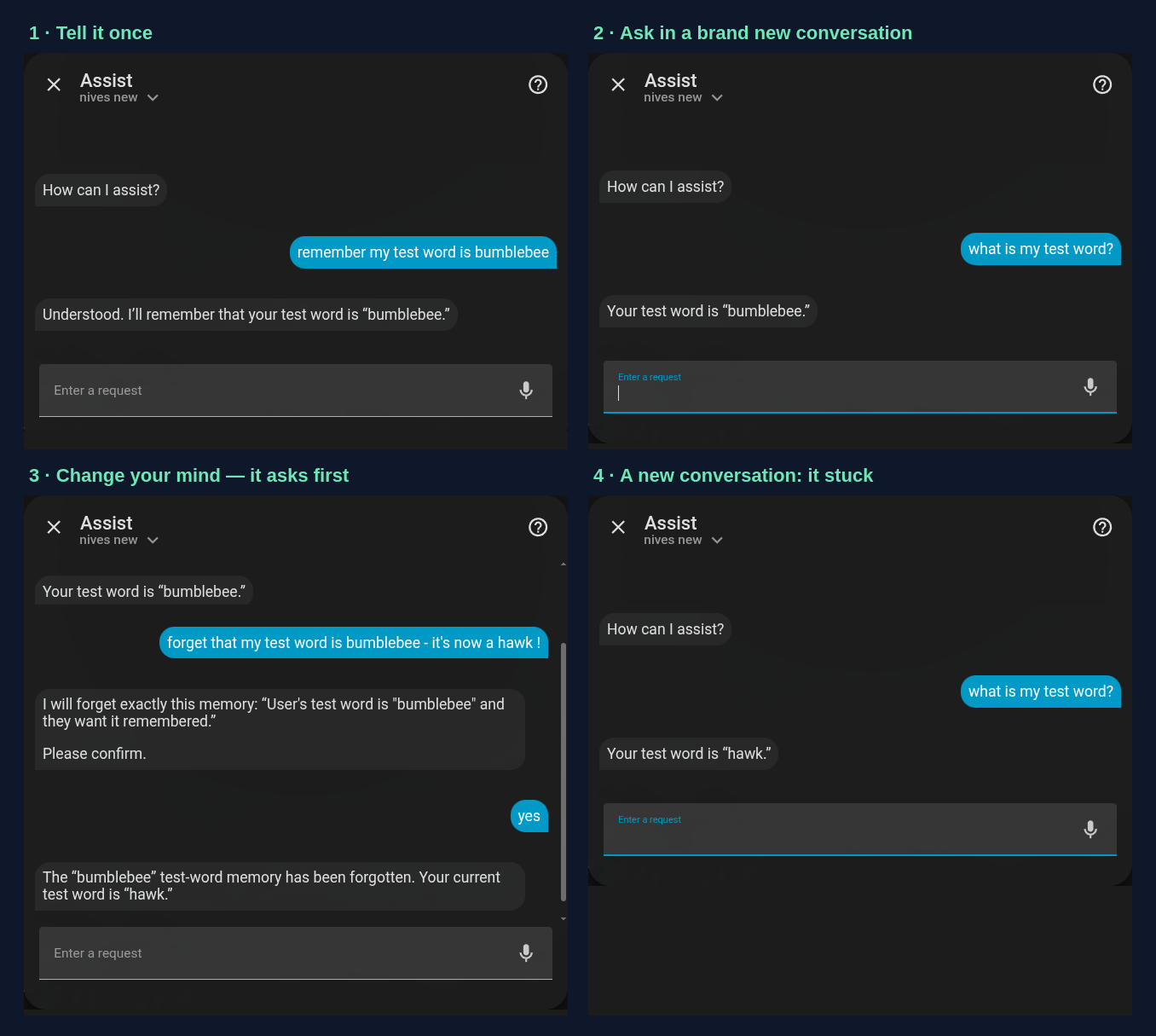
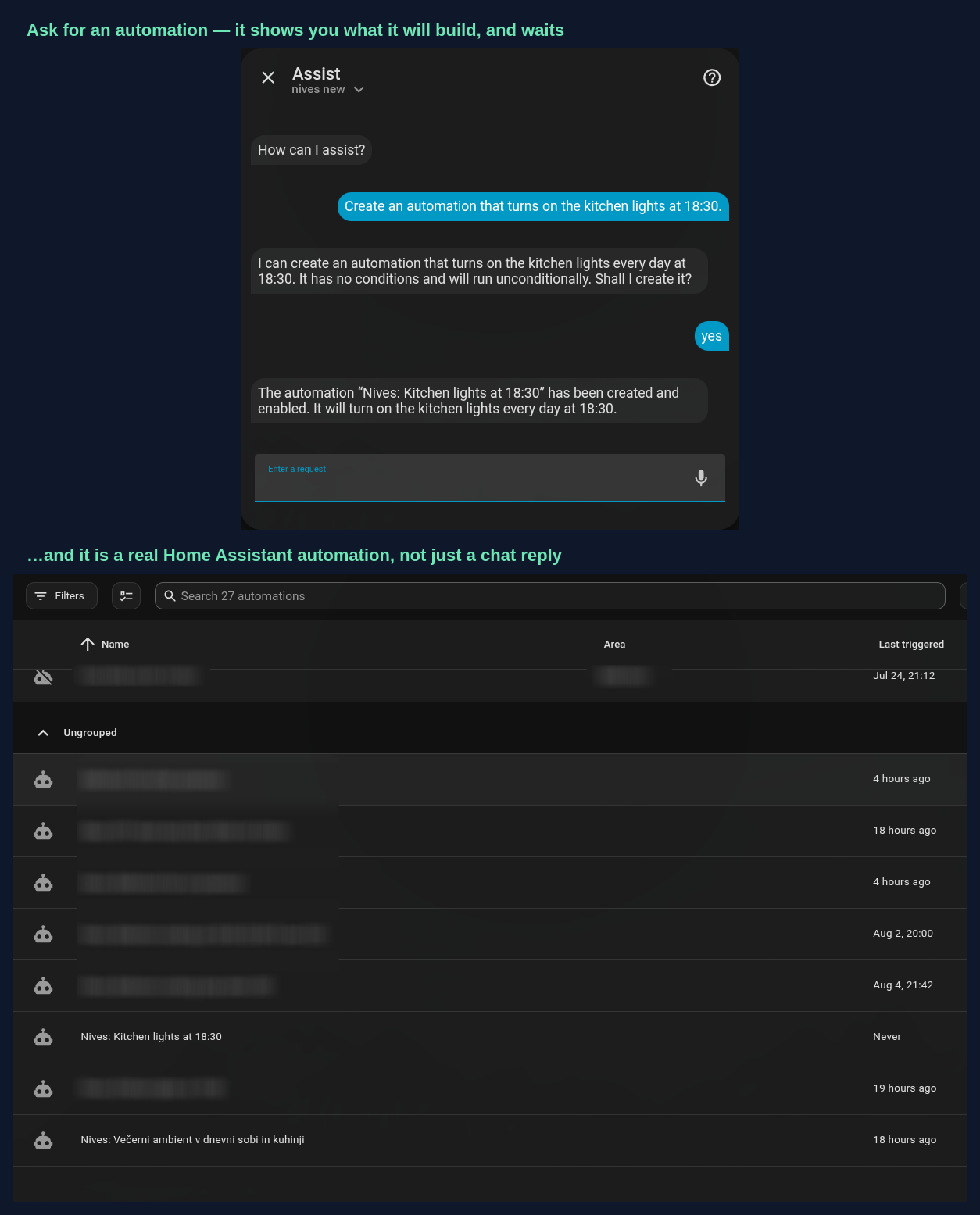
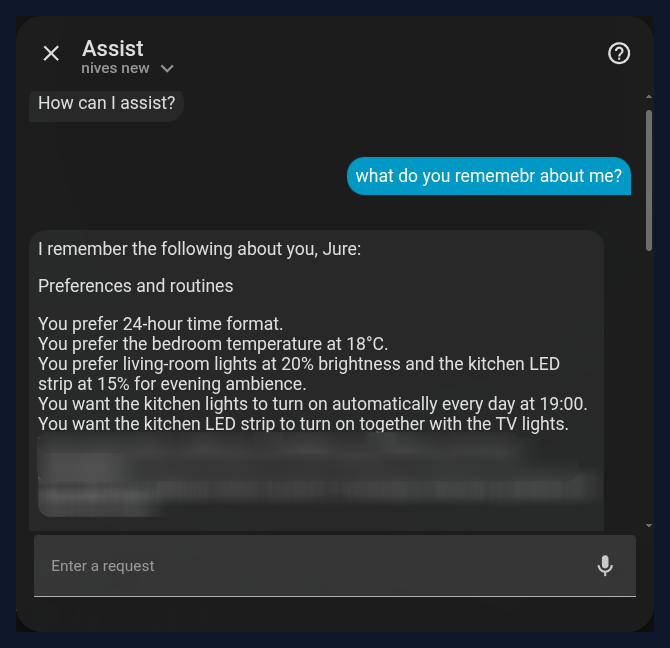
Unedited screenshots from our own home — a few private lines blurred. Click any screenshot to enlarge it.
More of the everyday things you can say once Nives knows your home:
Examples for illustration. Nives's replies draw on your own preferences, devices, and routines — the more you tell it, the more it remembers.
Set it up in minutes
Four steps from zero to a home that remembers you.
Install the Nives add-on in Home Assistant
One click adds the repository to your Home Assistant:

Or manually: Settings → Add-ons → Add-on Store, menu (⋮) → Repositories, add https://github.com/hoornet/nives. Then find and install the Nives add-on.
Buy a ticket below and copy your key
Enter your email, pick a ticket, pay. You'll land on your dashboard where your API key is waiting.
Paste your key into the add-on's Cloud section
Open the Nives add-on, switch to Cloud mode in the Configuration tab, paste your key, and hit Save.
Restart once, then talk to your home
Home Assistant needs one restart to finish the install — Nives asks for it with a notification (and, after updates, a one-click repair under Settings → Repairs). Then pick Nives under Settings → Voice assistants, open Assist, and start a conversation.
Simple, honest pricing
No subscription, no monthly bill. Buy a ticket, use it until it's gone, top up when it suits you — Nives warns you a few days before it runs out. No tiers to compare, no model names to research: we pick the best available model and keep it current for you.
Everything included, one ticket at a time. For most homes, €10 covers weeks of everyday use.
- Persistent memory
- HA Assist — voice & text
- Understands everyday speech — ums, typos and all
- No subscription — pay again only when it runs out
- Optional auto top-up — emailed every time, off in one click
A ticket simply lasts until it's used up — there's nothing to cancel and no charge you have to remember. Nives tells you when it's running low, and tops up automatically only if you've asked it to. Prefer bigger and rarer? €25 and custom-size tickets work the same and last longer.
Get started today
Pick a ticket and pay — you'll have your API key within seconds.
Already have Nives?
Enter the email you signed up with and we'll send you a link to your dashboard.